Portfolio
MorphFinder
Jul 2026 - Jul 2026
Purpose
MorphFinder is a cross-platform, open-source file manager powered by a runtime-switchable Tri-UI shell engine (Finder, Explorer, and Dolphin) over a single high-performance local core. It explores how a desktop file manager can adapt seamlessly to macOS, Windows, and Linux user interface paradigms without changing underlying file logic.
Why I Built This
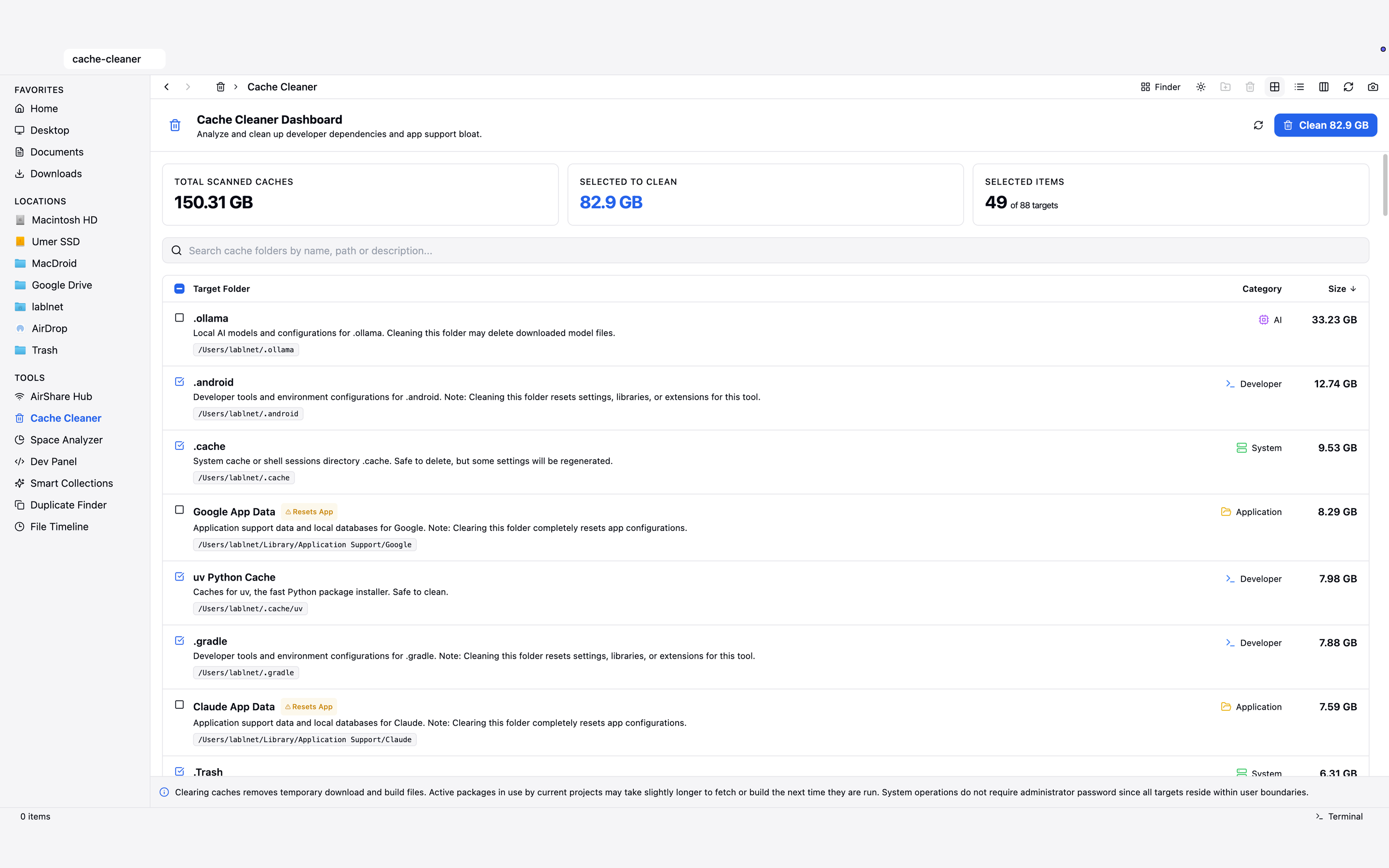
As a macOS user, running commands like pnpm install or npm install leaves behind massive amounts of build cache, package archives, and hidden temp files across the system over time. Tracking down, inspecting, and safely cleaning out all that wasted cache and storage manually is tedious and frustrating.
Additionally, sharing files directly with non-Apple devices—like Windows PCs or Android phones—is often an unnecessary headache. I built MorphFinder to solve these everyday friction points, combining deep cache cleaning and storage analysis tools with AirHub Share for fast, secure local network transfers without relying on cloud services.
Key Features
- Tri-UI Shell Engine: Switch dynamically between macOS Finder, Windows 11 Explorer, and KDE Dolphin skins at runtime.
- AirShare & Local P2P WebShare: Zero-cloud peer file server and drop zone to transfer files between devices on local Wi-Fi via vector QR codes and web portal.
- App Store & Cross-Platform Packaging: Mac App Store (
.pkg), direct macOS DMG/ZIP, Windows NSIS/MSIX, and Linux AppImage/DEB builds. - Deep Storage Analyzer & SHA-256 Duplicate Cleaner: Treemap space visualizer and byte-hash duplicate file group cleaner to reclaim disk space safely.
- Git Radar & Integrated Developer Suite: In-app Git branch tracking, diff status, commit history, and embedded terminal (
node-pty) sessions. - Monaco Code Preview & Native File Viewer: Quick preview supporting code editing, Markdown, images, audio, video, PDFs, and binary metadata.
- Local-First Sandboxed Security: 100% offline privacy, zero telemetry, Apple App Sandbox compliance, and CSP protection.
Lessons Learnt & Store Submission Experience
-
The Importance of TestFlight:
- Testing through Apple TestFlight is essential before submitting to the public store. Standard DMG builds run un-sandboxed on macOS, which hides sandbox restrictions. TestFlight runs the exact sandboxed
.pkgbinary in Apple’s production environment, revealing hidden sandboxing crashes before real users see them.
- Testing through Apple TestFlight is essential before submitting to the public store. Standard DMG builds run un-sandboxed on macOS, which hides sandbox restrictions. TestFlight runs the exact sandboxed
-
Fixing the Sandboxed Black Screen & V8 Crash (Simple Explanation):
- What broke: In Apple’s strict App Sandbox, MorphFinder opened as an empty black window. The terminal log revealed
V8 process OOM (Failed to reserve virtual memory for CodeRange)andGPU process exited with exit_code=5. - Why it happened: macOS Sandboxing blocked the child renderer process from allocating JavaScript JIT memory and blocked the GPU helper from sharing memory.
- What broke: In Apple’s strict App Sandbox, MorphFinder opened as an empty black window. The terminal log revealed
-
Disabling Auto-Updater in Mac App Store Builds:
electron-updaterthrew background network errors because Apple forbids custom auto-updaters in App Store apps. Addingif (process.mas) return;cleanly turned offelectron-updaterfor Mac App Store builds while preserving it for direct web downloads.